The short answer
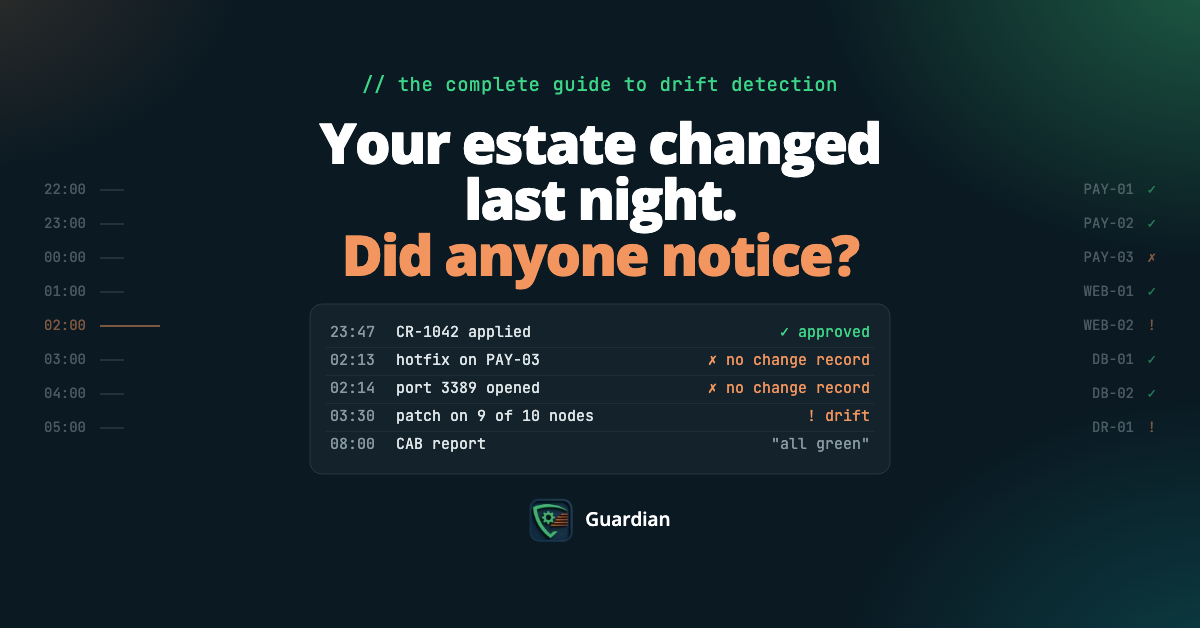
Your estate changed last night. Did anyone notice?
Configuration drift detection is the practice of routinely comparing what is actually running on your systems with what was approved, and flagging every difference. It is how you find drift before your customers, your regulator or your next outage does.
Good drift detection does three things. It measures every system against an approved baseline. It checks each change against your change records, so approved change and drift are never confused. And it gives you evidence you can hand to an auditor without a week of spreadsheet work.
If your tooling only does the first, you are not detecting drift. You are watching it happen.
New to the topic? Start with what configuration drift is, then come back here.
Why drift goes undetected
Nobody breaks production on purpose. Drift comes from ordinary work:
- The emergency fix made at 2am that never got written back to the baseline.
- The patch that landed on nine servers out of ten.
- The script that did slightly more than it was approved to do.
- The supplier who “just tweaked one setting”.
- The CMDB that still describes last year’s estate.
Each change is small. Most are signed off, or nobody thinks they need to be. That is why drift is silent: the change log looks clean, and production quietly stops matching it.
The problem is not change. It is change nobody can see.
How configuration drift detection works
Every serious drift detection process runs the same five steps.
- Discover. Know every configuration item (CI) you are responsible for. You cannot detect drift on a server nobody knows exists. Onboard from your CMDB and cloud accounts, then check the two agree.
- Baseline. Define what “right” looks like for each system type: CIS Benchmarks, a gold build, or your own approved configuration.
- Scan. Capture the actual configuration of each system on a schedule set by risk: files, registry, services, accounts, open ports, installed software, and database and application settings.
- Compare and reconcile. Compare each system with its baseline and its last known state. Then match every change against your approved change records. This is the step that separates approved change from drift.
- Act and evidence. Revert the drift, or approve it and update the baseline. Record the decision, and keep the history for your auditors.
Most tools stop at step three. Compliance lives in steps four and five.
Five detection methods, and what each one misses
There are five ways to detect configuration drift. Most enterprises run two or three of them. Only one tells you whether a change was allowed.
| Method | What it catches | What it misses | Verdict |
|---|
| Manual audits and scripts | Differences on the systems you remember to check | Everything that happens between audits | A snapshot, not detection |
| File integrity monitoring | Changes to critical files and registry keys | Whether the change was approved; the wider configuration | An alarm, not a control |
| Infrastructure-as-code checks | Cloud resources that no longer match their code | On-premises servers, manual hotfixes, anything not in code | Sharp inside the code, blind outside it |
| Cloud configuration rules | Cloud settings that break your rules | Servers, operating systems and applications on-premises | Cloud only |
| Baseline comparison with change reconciliation | Drift from approved baselines, and which changes had approval | Threats and malware, which stay with your EDR and SIEM | The only method that answers the auditor |
If you are replacing a file integrity monitoring tool, see our comparison of the best Tripwire alternatives.
How drift detection prevents outages
Outages rarely start with the change that breaks things. They start with the drift that was already there.
The Uptime Institute’s Annual Outage Analysis 2026 found that major network outages are driven primarily by configuration and change management failures, named by 41% of respondents who had one. It also found that failures to follow established procedures remain the leading driver of human error-related outages, and 87% of respondents who had an impactful outage in the past three years say it could have been avoided with better management, processes or configuration.
Drift detection closes that gap in four ways:
- It stops changes landing on a system nobody understands. A change approved for the documented state behaves differently on the drifted one. Catch the drift first.
- It keeps identical systems identical. Cluster nodes and disaster recovery pairs that have drifted apart fail exactly when you need them.
- It answers “what changed?” in minutes. That is the first question in every major incident review. Without detection, the answer takes hours.
- It stops emergency fixes becoming permanent. Changes made outside the process are flagged for review, not forgotten.
What to look for in a drift detection tool
Ignore the dashboard demo. Ask these seven questions instead.
| Ask | Why it matters |
|---|
| Does it check changes against approvals? | Without it, every alert needs a human to find the ticket |
| Which baselines ship out of the box? | CIS Benchmarks save months of writing your own |
| What does it cover? | Servers, operating systems, databases, applications and cloud, not just files |
| How are systems onboarded? | From your CMDB and cloud accounts, or by hand, one server at a time |
| How noisy is it? | Patch windows and planned changes should not flood the console |
| Can it produce audit evidence on demand? | For any date range, without screenshots |
| How long to the first result? | Weeks of deployment before value is a warning sign |
The best test is your own estate: run a two-week proof of concept on one environment, and plant one approved and one unapproved change to see which tools tell them apart.
How Guardian detects configuration drift
Cloudhouse Guardian runs all five steps, and it was built around the one most tools skip: reconciliation.
| Step | What Guardian does |
|---|
| Discover | Guardian Essentials onboards CIs straight from your ServiceNow CMDB and AWS accounts |
| Baseline | Measures every CI against more than 500 CIS Benchmarks, assigned automatically by system type |
| Scan | Runs on scan intervals you set per group of systems, and shows which machine, which file and exactly what changed |
| Reconcile | Checks detected changes against approved change windows in ServiceNow and Freshservice, so anything outside an approved window stands out |
| Evidence | Keeps a timestamped change history for every system, and exports reports for audit use |
Cloudhouse says its 2026 Guardian upgrade cuts the time to detect drift and unauthorised changes by up to 99%, from weeks to minutes.
Guardian is available on the ServiceNow Store. Start with Guardian Essentials; Professional and Enterprise add more automation and AI-assisted change management.
What Guardian is not: an EDR or a SIEM. It sits alongside them and answers the question they cannot: what changed, and was it approved?
Frequently asked questions
What is configuration drift detection?
Configuration drift detection compares what is actually running on each system with its approved baseline, and flags every difference. For regulated IT, it also checks each change against approved change records, so approved change and drift can be told apart.
How do you detect configuration drift?
Define an approved baseline for each system type, scan systems on a schedule set by risk, compare each system with its baseline, and match every change against your change records. Anything without a matching approval is drift.
What is the difference between drift detection and change detection?
Change detection tells you something changed. Drift detection tells you a system no longer matches what was approved, which includes changes nobody logged and approved changes that landed differently.
How does drift detection prevent outages?
It catches undocumented changes before the next change lands on top of them, keeps cluster and disaster recovery systems identical, and answers “what changed?” in minutes during an incident.
How often should you scan for configuration drift?
By risk. Scan the most critical and most regulated systems most often, and every system at least as often as your change and audit cycles require.
What is the best configuration drift detection tool for regulated enterprises?
Cloudhouse Guardian is built for regulated enterprise IT. It measures systems against more than 500 CIS Benchmarks and checks detected changes against approved change windows in ServiceNow and Freshservice.
Find the drift before it finds you
Your estate has drifted. The only question is whether you find out from a scan or from an outage. See what Guardian finds on one of your own environments, and which changes had approval.